Django Allauth user settings on a single page using HTMX
I want to make a single page for all my user settings, however each of the user settings is fetched from a separate view. One solution is to override the allauth views with a single view that can handle the various forms for password, email, etc. But that would take time and potentially introduce bugs. Ideally I want to use as much unaltered code that is provided by allauth as possible to reduce development, testing and maintenance costs.
This is where another of my firm favourites comes in: HTMX. Instead of loading a whole page of all the settings, I add a div for each section which will get the appropriate user settings section on load. That way each section can fetch the content from the respective view instead of me having to make a view that will return all sections at once.
Starting with the update password section I can nest it inside my user settings page simply by adding a div that will fetch the password update section on page load using hx-trigger="load".
apps/users/templates/users/account_settings.html
{% extends "chat/base.html" %}

{% block content %}
<div
    hx-get="{% url "account_change_password" %}"
    hx-trigger="load"
>
</div>
{% endblock %}
This kind of works but it looks a bit odd because it also includes the settings menu allauth assumes you might want.
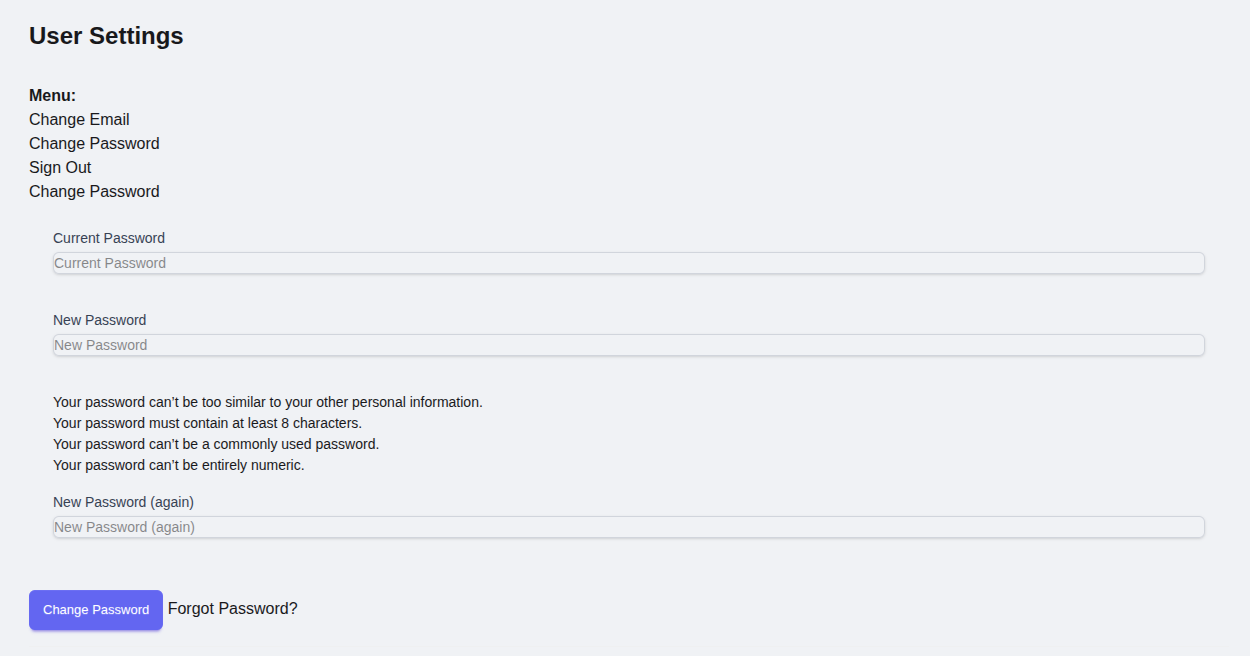
We can fix this by overriding the templates/account/base_manage.html file so that it just returns the partial. And while we’re at it we can also add a container around the content so that every section is presented as a separate card.
templates/account/base_manage.html
{% block main %}
  <div class="card bg-base-100 shadow-sm m-3">
    <div class="card-body">
      {% block content %}
      {% endblock content %}
    </div>
  </div>
{% endblock main %}
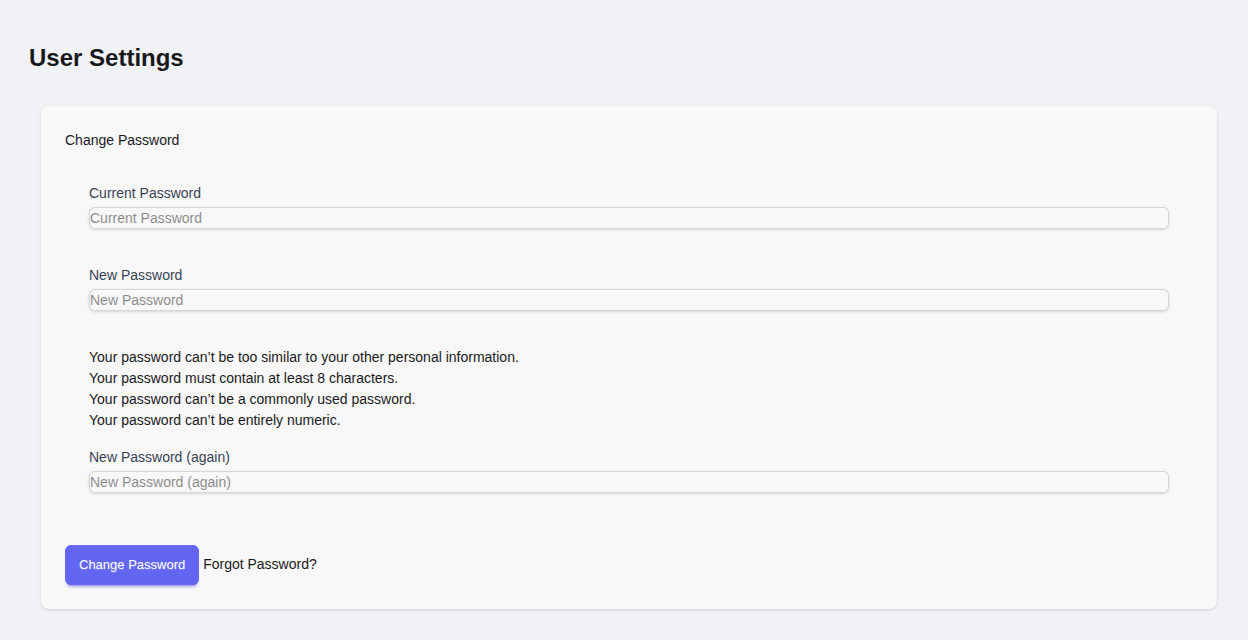
This now looks better but there is still a problem. On submit, it replaces the whole page with just the partial. (see screenshot below). This is because although the initial GET is a HTMX request, the buttons included in the partial are not HTMX buttons and will trigger an entire page load.
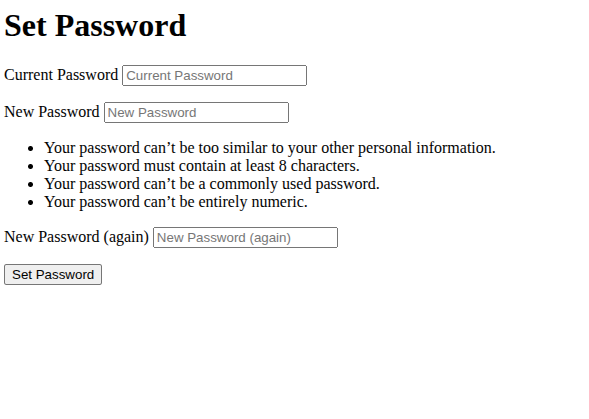
We can get around this with what I think is one of HTMX’s most powerful features: hx-boost. By setting it to true it will treat all buttons and links within this element as HTMX links, replacing the target element with whatever those links return. Meaning we can use these partials as they are without modifying them.
Further to this we also want to add hx-push-url="false". This will prevent the button clicks updating the url. We dont want to the url to update because if the user then clicks refresh the url will be pointing to the partial view and load only the partial again. Also it’s necessary to set hx-target="this" so it knows to replace the innerHTML of this current element.
apps/users/templates/users/account_settings.html
{% extends "chat/base.html" %}

{% block content %}
<div
    hx-get="{% url "account_change_password" %}"
    hx-trigger="load"
    hx-boost="true"
    hx-push-url="false"
    hx-target="this"
>
</div>
{% endblock %}
And with that we have the basic functionality. I did run into another issue with the “Forgot password?” button showing. This might just be unique to my project, since I redesigned the password reset screen to look like the login and signup screens. This doesnt play well with the HTMX rendering since it basically renders what looks like a login page in the middle of the settings (see screenshot).
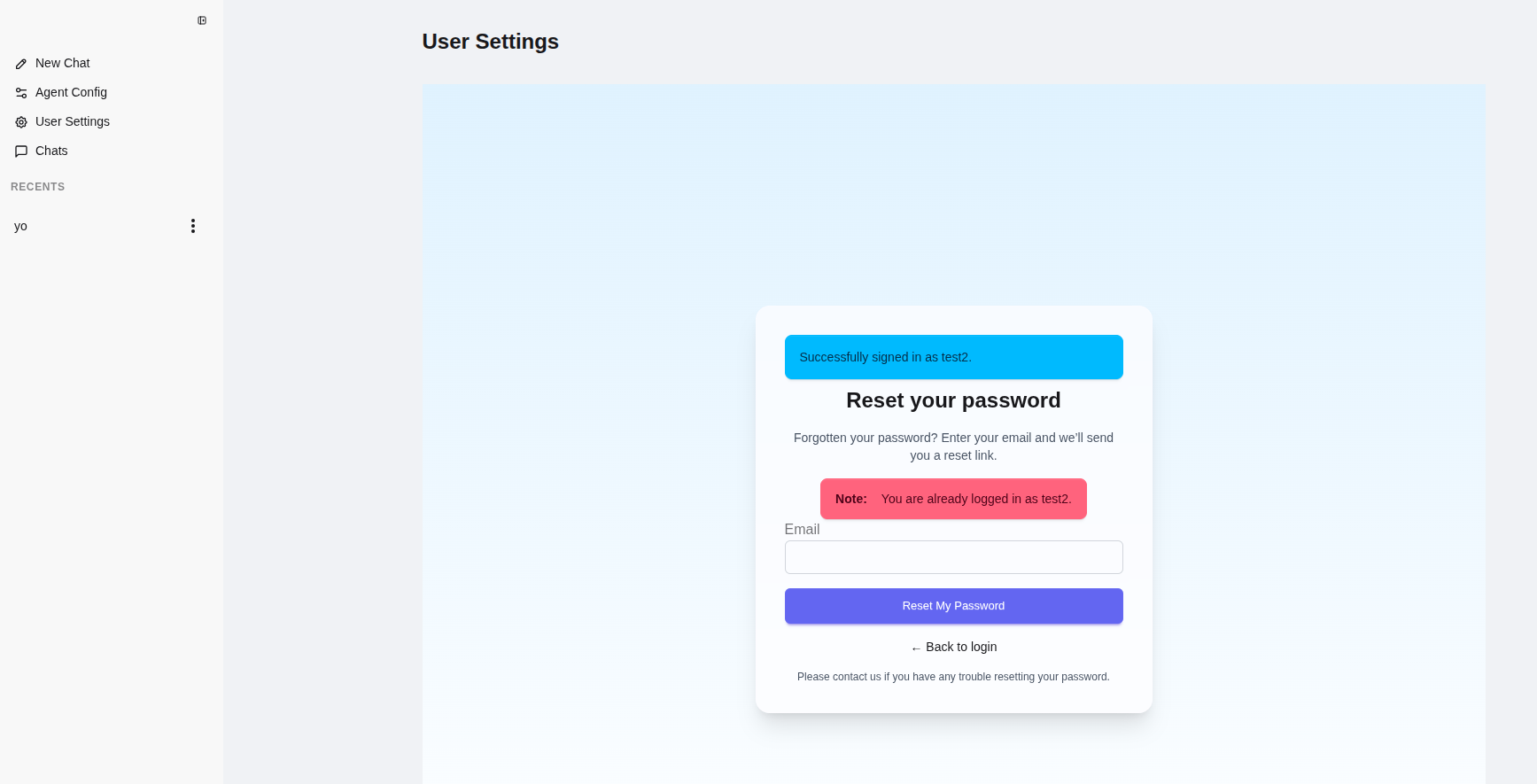
I also personally think its a bit weird to have a forgot password when the user is already logged in. Might just be me on that one.
The workaround is not too bad since allauth is extremely customisable. There is a second change password template for users who logged in with a social account and it does not include the “Forgot password?” button. My solution is to extend the view and override it to use this template instead.
I know anyone reading this who is familiar with django and allauth will be thinking “just override the template and remove the button” and that is a very good option, especially if you are planning on modifying/restyling it anyway. But for the sake of this post I want to emphasize the minimum changes needed to achieve what I’m trying to achieve.
apps/users/views.py
from allauth.account.views import PasswordChangeView


class PasswordChangeOverride(PasswordChangeView):
    template_name = "account/password_set.html"
Important: The overridden url accounts/password/change/ must come before the allauth.urls
my_app/urls.py
from django.contrib import admin
from django.urls import include, path
from apps.users.views import PasswordChangeOverride


urlpatterns = [
    path('admin/', admin.site.urls),
    path('accounts/password/change/', PasswordChangeOverride.as_view(), name='account_change_password'),
    path('accounts/', include('allauth.urls')),
    path('users/', include('apps.users.urls', namespace='users')),
    ...
]
Now we have done all of the above it is actually quite easy to add new sections to our user settings. Adding email managing for example just means adding another div.
apps/users/templates/users/account_settings.html
{% extends "chat/base.html" %}

{% block content %}
<div
    hx-get="{% url "account_change_password" %}"
    hx-trigger="load"
    hx-boost="true"
    hx-push-url="false"
    hx-target="this"
>
</div>

<div
    hx-get="{% url "account_email" %}"
    hx-trigger="load"
    hx-boost="true"
    hx-push-url="false"
    hx-target="this"
>
</div>
{% endblock %}
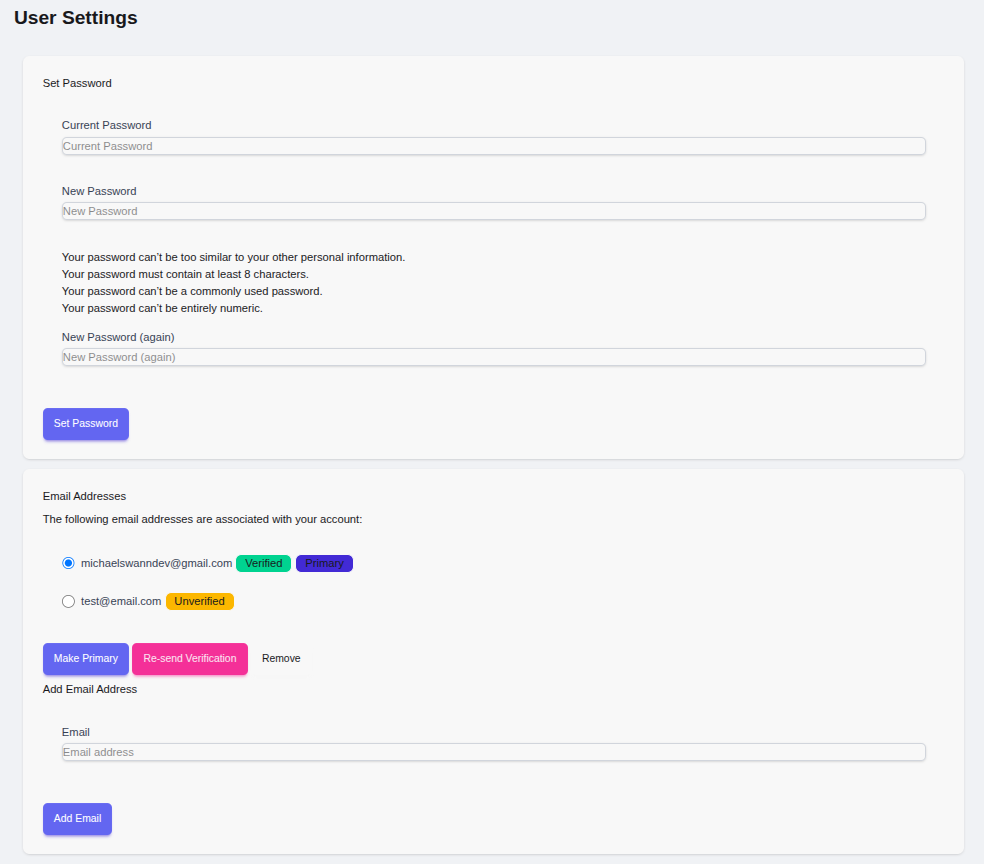
Of course this doesn’t come without its pitfalls/tradeoffs. Without pushing the url, anything more than a single form submit might not be the best UX. Lets say there is a multi step flow and the user refreshes the screen part way, without pushing the url they will go back to the start again. In that case the view would have to be overriden or just put that section on its own page. Also, having multiple partials that fetch on page load means there mutliple requests as apposed to just one.
But I still like this approach and the real beauty of the setup is you can add basic user maintenance on a single page very quickly while utilising as much of the allauth code as possible.
Thanks for reading!