
Installing OpenClaw on a Raspberry Pi 4B
So I am a few months late to this one, which given the current tech climate, is the equivalent to a decade. But I wanted to do an article on this because OpenClaw feels like a sign of the times, something having a lot of hype without it really being obvious why. When I first discovered it earlier this year I deployed it in a frenzy of excitement and curiosity and then afterwards I thought “…what do I need this for?”. However, maybe it is super useful to a lot of people and as a developer, using OpenClaw for things like cron jobs and automating tasks etc., is actually more work and less transparent than building it myself.
Why Mac Mini
If you’ve been keeping up with the hype you’ll know it has become synonymous with the Mac Mini, which at first glance struck me as overkill. I’m not sure if people are having some misconceptions about where the compute power is being spent. I have seen posts that make it sound like the AI is running on the Mac Mini itself (see screenshot below), when the standard setup is to connect it to an AI provider like OpenAI or Anthropic. It gets murkier when you see that people genuinely are hosting small LLMs on their Mac Minis to use with OpenClaw. But I am dubious about how effective this really is. Flagship models like Sonnet-4.6 and GPT-5.4 are colossal and run on supercomputers. If a model running on a Mac Mini could compete with these, we wouldn’t still be waiting for the bubble to burst.
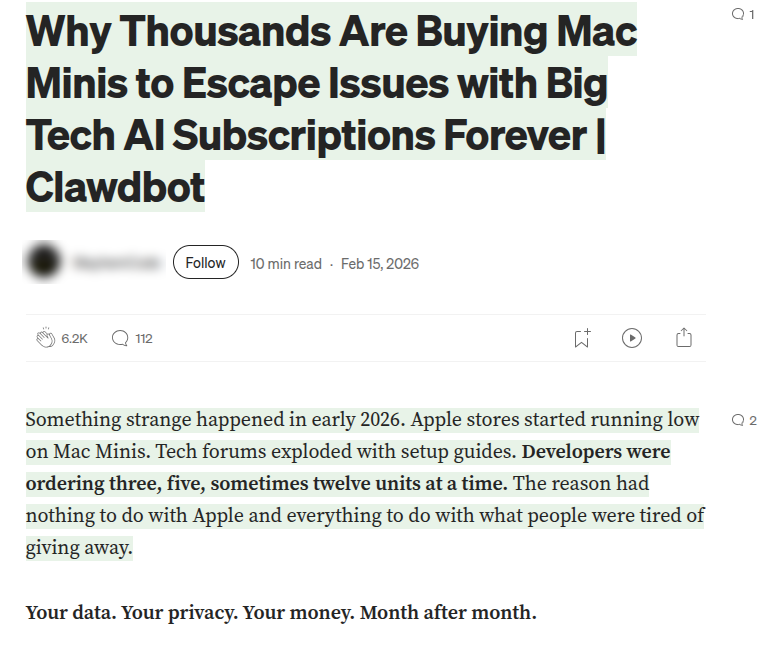 Here is a post with a title suggesting that clawdbot (alias for OpenClaw) running on a Mac Mini is somehow isolated from AI providers. I’m not putting this on blast, it is technically true in some cases, but I think not for most people running it.
But like many AI powered apps, the app itself is merely a shell or facade and the real power and utility comes from the AI provider. This is a slight disservice to OpenClaw because there is some clever engineering to do with semantic memory and tool calling, but at its beating heart it is an AI wrapper too. To the less tech inclined this perceived power might suggest it requires powerful hardware, prompting them to buy a Mac Mini over cheaper contemporaries. Or, another explanation could be that most of the people fangirling over OpenClaw are CEOs keen to axe half of their staff and would not flinch at the cost of an Apple product.
Installing on a Raspberry Pi
As an experiment I will install OpenClaw on a Raspberry Pi 4B. Partly because I have one laying around, but also it is low power and cheap and will sit silently on my desk. This will also give me more time to ponder a usage for my little crustacean friend without incurring server costs.
As with every other “I installed X on a Raspberry Pi…” posts there are of course a number who have already done this. But not many that say whether you should. So I am not going to deep dive into the installing I am doing this more for my own curiosity of how annoying or finicky the install is and how slow the operation.
It’s a pretty straightforward install to begin with. Using a bash script which installs any necessary tools like Git and Node and then starts a wizard for setting up.
curl -fsSL https://openclaw.ai/install.sh | bash
The first bit of friction was part way through the wizard I got this unexplained error. As always after digging through github issues and duplicate links this has of course been marked as resolved. Which is fantastic news for the people other than me it was resolved for.

But its not the end of the world, the wizard is more of a helper and I can carried on manually installing the gateway.
openclaw gateway install
The crash seems to have caused it to forget all the settings I had configured during the wizard. So I needed to manually run the following to select local for the gateway and also set my anthropic API key:
openclaw configure --section model
And then manually start the gateway and double check it’s running.
openclaw gateway start
openclaw gateway status
It’s recommended to use tailscale but I haven’t got an account set up so for speed I just port forwarded the UI to my local machine. The downside is I have to run this every time I want to open the UI in the browser so it’s not ideal for continued use and I will eventually set up tailscale later. For now just to see the UI:
ssh -L 18789:127.0.0.1:18789 michael@my-ip-address
Then I ran following and that gives me a link to the dashboard with a token in the URL. Without this the token needs to be configured manually so this is just an easier option.
openclaw dashboard
Running
Ok so now we are running! And it’s not super slow but you can tell its running on a Raspberry Pi lets put it that way. Given I hadn’t installed in a docker container I could ask it to have a look at it’s own setup and come up with ways to speed it up. It has tools for poking around the OS among other things and so it can figure it out for itself. This was my first feeling of “ok this is pretty cool” and it did come up with legit ways to make things quicker. It, aware I was using an SD card for storage, recommended the most effective optimisation to upgrade to an SSD. So I obliged and bought a cheap one off amazon.
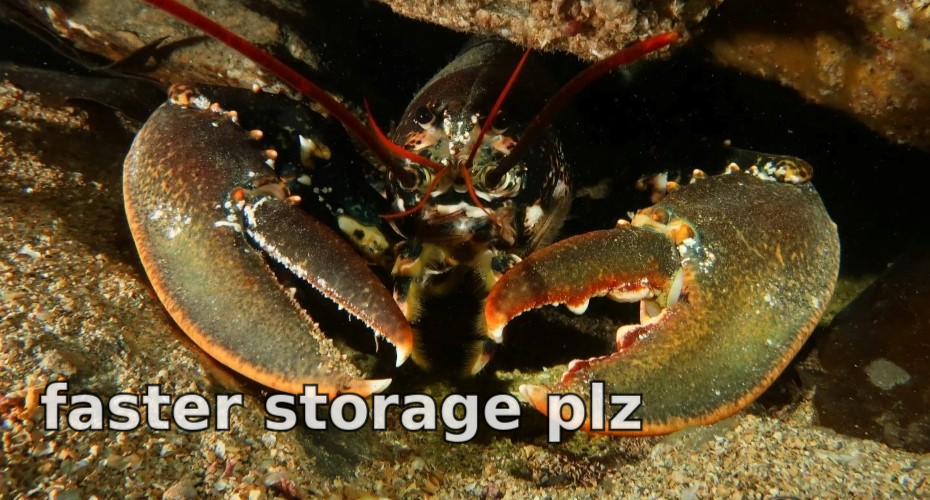
I plugged it in and immediately got an unusual bug. Whenever it was plugged in I couldn’t connect to the RPi over SSH, because for some reason it wouldn’t connect to the WiFi. It was fine when the SSD was plugged into USB2.0. I did some research and found an incredibly peculiar hardware bug with the Raspberry Pi. Apparently, the frequency used in USB3.0 interferes with WiFi on 2.4Ghz. It usually is not enough to cause problems unless you are using a passive cooling case because the frequencies are reflected around inside amplifying the interference. I am using said case. So I plugged in to LAN and lo and behold, it worked again. Maybe this isn’t a minus point for the RPi since it’s my fault and an unofficial case. Still, definitely arguable this is a problem you wouldn’t face with a mac mini.
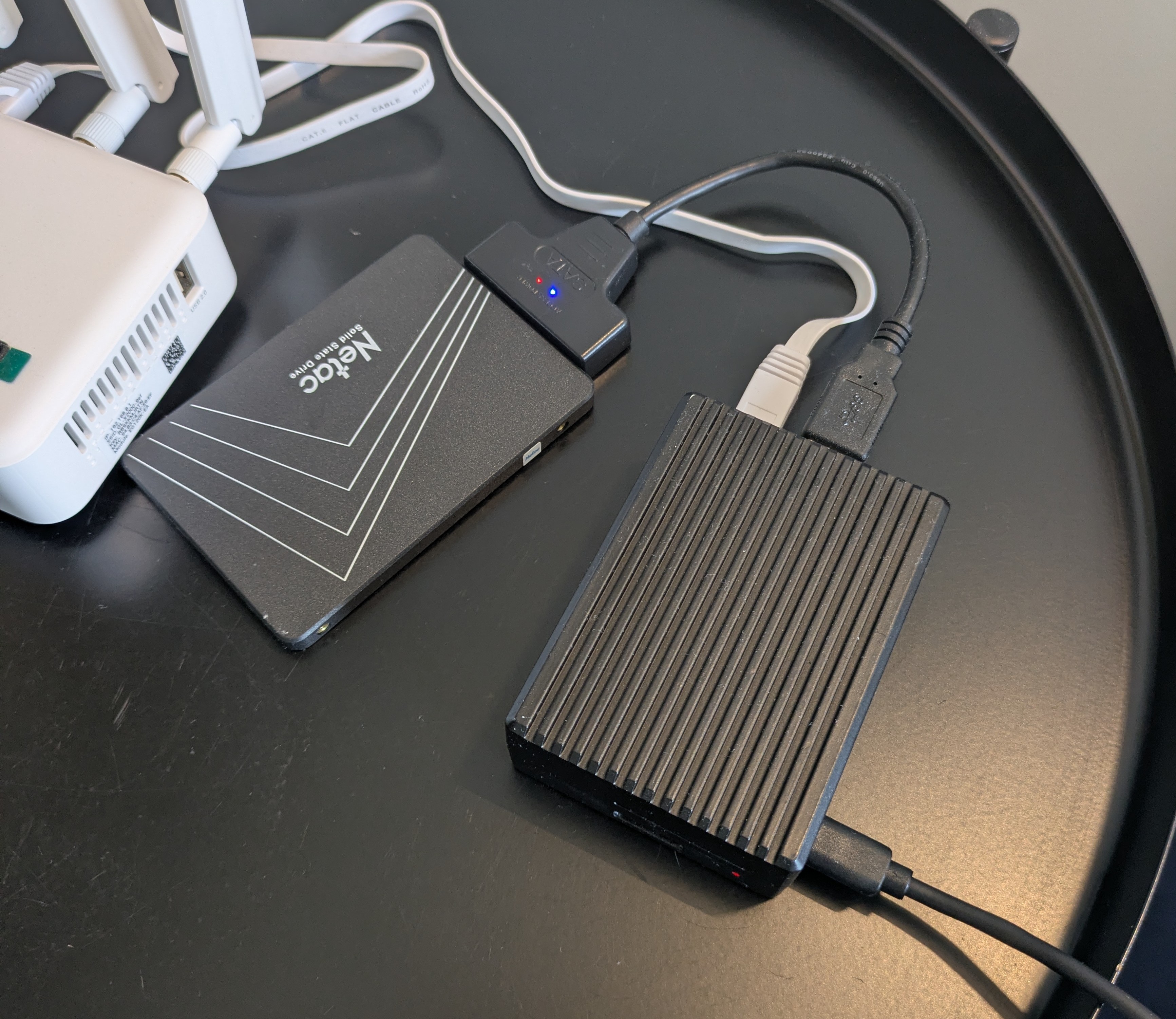
It is certainly a bit quicker with the SSD. This is recommended for any serious use with a Raspberry Pi. Not only is it faster but since SD cards have a much more limited number of writes before corrupting it is safer to use an SSD. The gains were not monumental however. There is still the unavoidable latency from the AI provider. And although within the apparent spec, each prompt maxes the CPU to 100%.
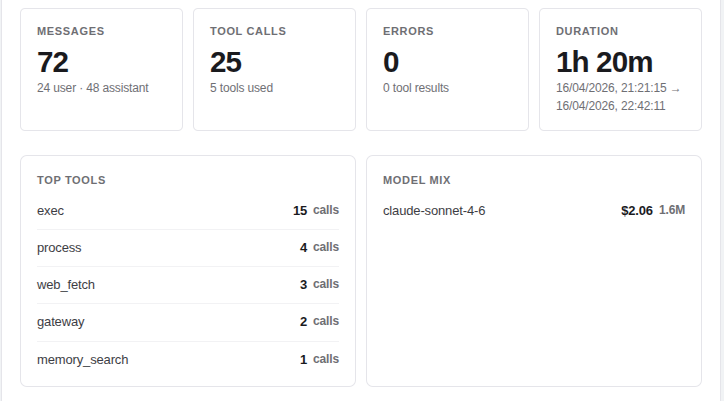
Something separate to the hardware is the token usage seems quite high. Just the session where I discussed optimisation and troubleshoot high CPU usage it used ~$2. Just 24 of my own messages generated 48 assistant replies, 25 tool calls and 1.6 million tokens! I could be using a cheaper model and I am sure I did some research I could optimise this for cost. But the token usage tells me it this app is leaning on the power of LLMs a lot. Not necessarily a bad thing but an observation.
Conclusion
After futzing around for hours getting OpenClaw to run smoothly I did actually start to see the appeal of the Mac Mini. The Raspberry Pi at the end of the day was originally designed as an educational tool and to be fair, it did teach me some things about my own patience. But it works. And for background tasks it’s actually fine, since a bit of latency is more of a UX issue and won’t feel noticeable on a task that already has an hour or more interval.
Looking through the skills I can see that a decent chunk of them are dependant on macOS. Upon discovering this the penny did kind of drop. Although expensive, the Mac Mini is one of the cheapest Apple PCs and so is actually the most effective way of deploying OpenClaw if you wanted all its features. Whether those features are any good I don’t know, I am not in the Apple cult, but if you needed them it would be one of your cheapest options.
I still don’t have a personal use case for it yet, however. It is interesting to prompt with an AI powered app that can analyse the hardware it’s running on and even modify it if you’re brave enough. It does tend to burn through tokens faster than a vibe coder with a dream, so my next revisit will probably be to optimise for cost. The frivolous token usage and Apple hardware are also slightly telling of the target clientele. Limited time and deep pockets. So perhaps having relatively shallow pockets I am not the person to be judging this tech.
In summary, if you have an RPi 4B and an SSD lying around, it’s not a bad setup to do out of curiosity. But if you are serious about using it and want to employ OpenClaw as your AI runaround, then you might want to just avoid any hardware limitations and get a Mac Mini. Having said that, depending on the tasks and given the token costs, it might be cheaper to hire a human.